Untouched. Maximum latitude.
A clean Apple Log recording with the full dynamic range the sensor captured — the negative you grade properly later, in Resolve or Final Cut.
iPhone cinema camera · TestFlight beta
One button decides what a take becomes: untouched Apple Log with every stop the sensor saw, or your look baked in live. The preview never lies — what you see is what gets encoded. Real exposure controls, not a filter slapped on after.
Any iPhone on iOS 18 or later · Apple Log needs iPhone 15 Pro or later · Free while in beta
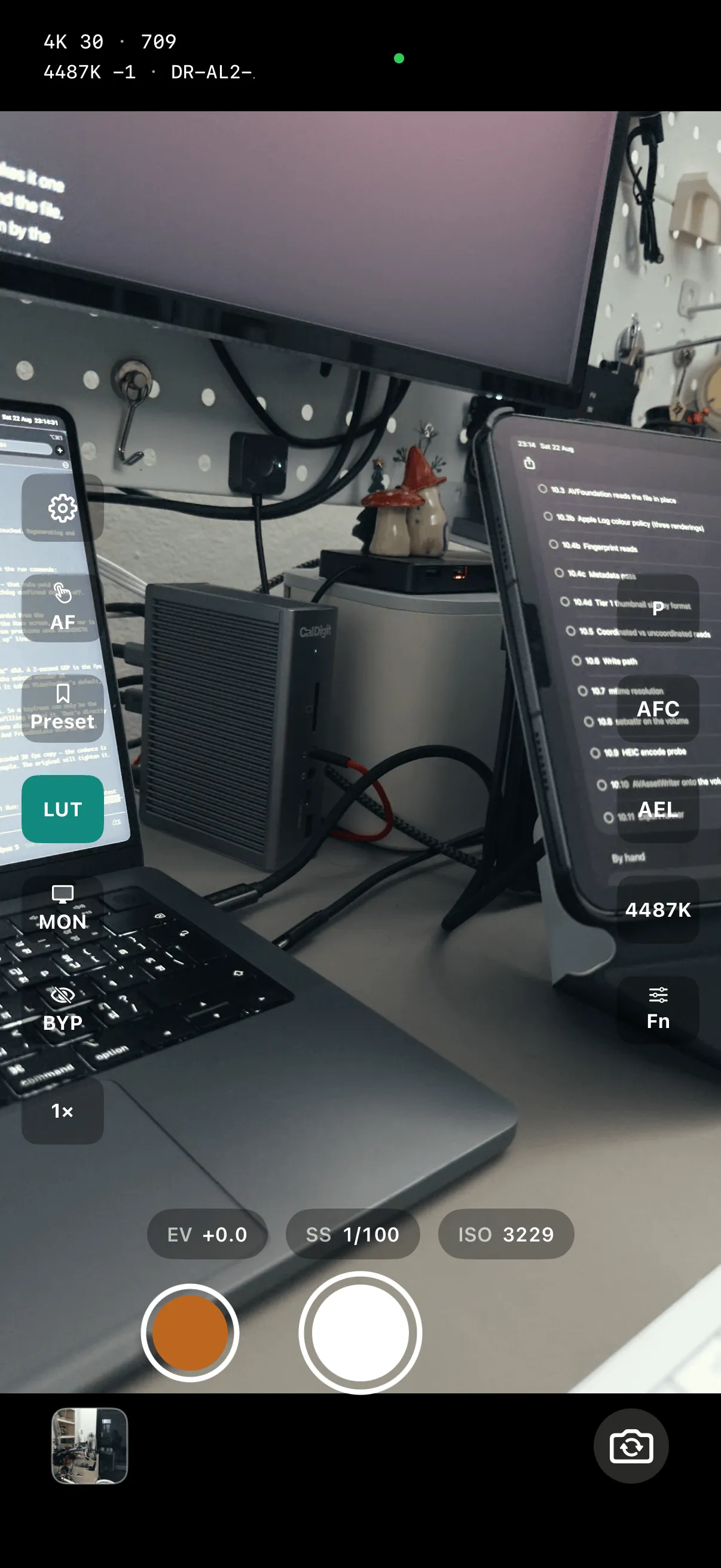
The signature move
Most apps make you choose at the edit bay. Memios makes it one button on set: the LUT button drives both the preview and the file. Off, you record clean Apple Log. On, your look is baked in by the same pipeline that's drawing the screen — WYSIWYG down to the frame.
A clean Apple Log recording with the full dynamic range the sensor captured — the negative you grade properly later, in Resolve or Final Cut.
The same take with your LUT baked in, ready to post the second you stop recording. No round-trip, no "I'll grade it tonight."
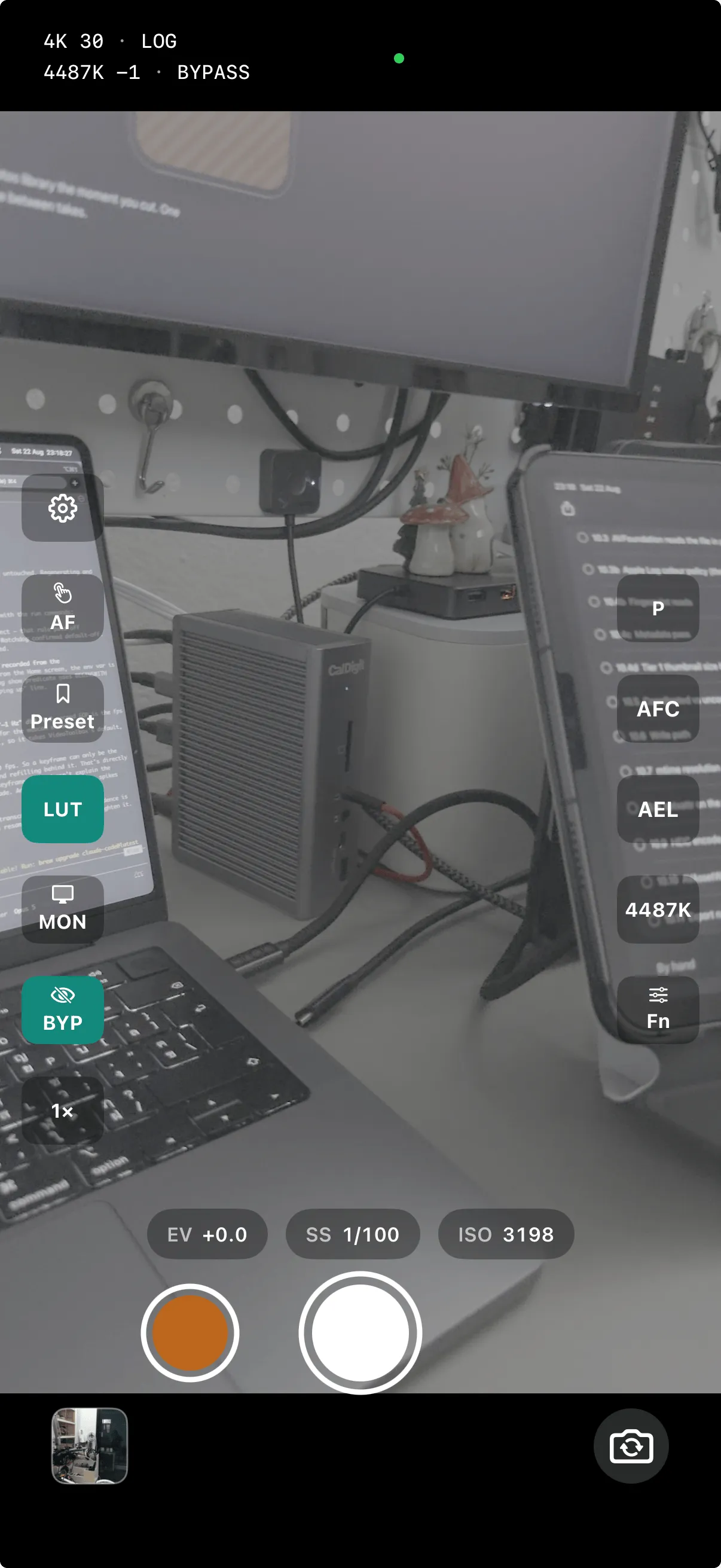
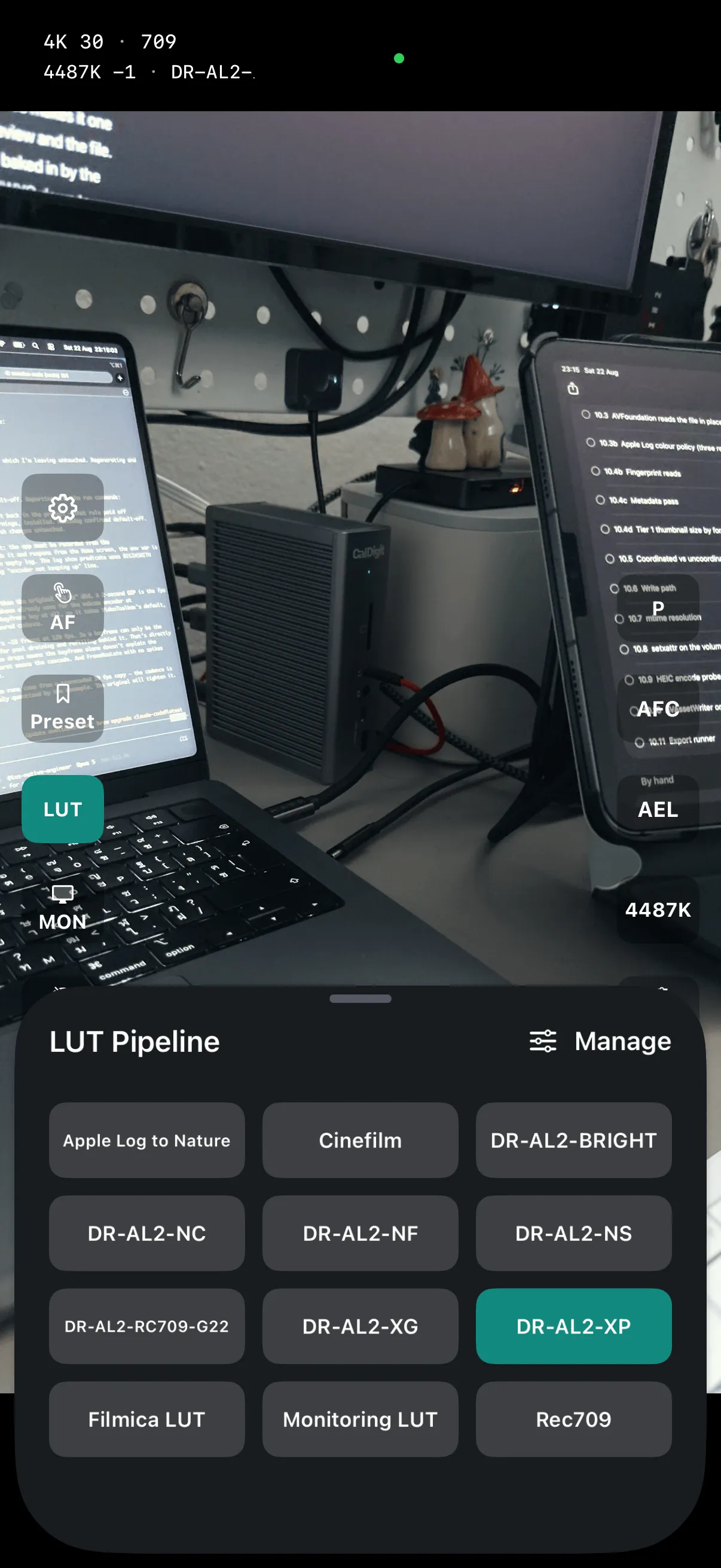
Either way: up to 4K, straight into your Photos library the moment you cut. One button, flipped any time between takes.
Shoot like a camera, not a phone
Memios gives you the exposure triangle back — with a metering brain that keeps the picture clean while you drive. And the finishing touches that used to wait for the edit bay: a look in the box, true color, a location stamp.
A function menu straight over the deck — resolution, frame rate, minimum shutter, stabilization, photo quality, Link — every recording setting two taps away, preview still live behind it. Combos your format can't do show greyed with the reason, the 180° shutter rule included.
Program, Shutter-priority, ISO-priority, or full Manual. Fix the variable that matters to your shot; let the meter solve the rest.
Lock exposure, then still dial EV compensation up or down — the reading stays put while you push the look brighter or darker.
Set the slowest shutter you'll tolerate, and auto-exposure never crosses it — no mushy motion blur sneaking in when the light drops.
Tap anywhere to rack focus and meter that spot. Continuous autofocus that actually holds.
Reference presets, plus four custom banks: let auto-WB settle a tricky scene, long-press to save it, tap to jump between looks — like C1–C4 on a real body. Or pick a neutral straight off the frame — it lands on the first tap, at any resolution.
See exactly what's sharp with peaking overlays, and zoom smoothly right through the take.
One pipeline draws the live preview and encodes the file, through the same path Photos uses to play it back. What you saw on set and what you watch later are the same picture — by design, not by calibration.
Clips and photos carry GPS right in the file, so where you shot it travels with it. Toggle it off any time.
A finished cinema grade built into Memios: the developer's own color pipeline baked to a single look you can shoot with today — lock screen included.
Nearly all of it lives under your thumb — tap, drag, pinch, or drag a badge onto the subject. Read the whole gesture vocabulary.
48MP photo mode
One tap on the Fn sheet's PHOTO tile and the whole camera switches over — 8064 × 6048 stills at Apple's full-quality rendering, drawn by the same live preview your video is. What's on the glass is what gets saved.
Apple's full-quality rendering across the whole sensor — not a crop, not an upscale. Enough frame to print, or to punch into and still have a picture.
Ultra-wide, wide, tele — the zoom presets switch lenses inside the mode, so reaching for a different focal length never costs you the resolution.
Up to four presses in flight while earlier shots write out in the background. Leave the mode, start rolling video — the saves finish on their own.
Stills land in the same "Memios" album your clips do — carrying their GPS stamp too, when location tagging is on.
Memios Link
Pair once, and the graded feed streams straight off the phone — over USB or Wi-Fi, encrypted end to end — to whichever screen the shot needs. Not a raw phone feed: your look, applied live.
Everything starts here — Apple Log or your look, rolling. The feed every other screen sees is the one this sensor is drawing.
The phone's graded feed, full-screen and auto-rotating with the camera. Then reach in and run it: focus, roll, shoot stills, drive exposure and white balance, switch lenses, pinch to zoom — every control mirroring the camera's real state, live.
Still your graded feed as a system camera in Zoom, Meet, Photo Booth — anywhere. And now the same full remote in a Mac window, with menu-bar shortcuts to match.
One viewer at a time — a strict 1:1. Link the Mac or the iPad, whichever the shot calls for.
Camera Control button
Press the Camera Control button and Memios records without ever unlocking — Apple Log or your Cinefilm look, straight into Photos, the phone still locked in your hand. From pocket to rolling in one press, nothing on the glass but the shot.
Records locked · saves to PhotosGood to know
Any iPhone on iOS 18 or later. Cine mode records Apple Log, so it needs an iPhone 15 Pro or later. On older iPhones Memios opens in Native mode instead: your iPhone's own camera pipeline, HDR video and full-size photos, with the same Memios controls around it. Memios is built and tested first on the iPhone 17 Pro, where iOS 26 adds Apple Log 2 and the front ultra-wide landscape mode. The companions are optional: the iPad field monitor needs iPadOS 18+, and MemiosCam for Mac needs macOS 13 or later.
A flat, wide-latitude recording profile. Instead of baking contrast and color in, it preserves the sensor's full range so you have room to grade — the same reason cinema cameras shoot log.
Straight into a "Memios" album in your Photos library the moment you stop recording — the clean Log master or the graded file, whichever your LUT button chose. Turn on location tagging and each file carries its GPS coordinates too.
Yes — a dedicated 48MP photo mode, one tap away on the Fn sheet. Full-resolution 8064 × 6048 files on any of the three back lenses, saved to the same "Memios" album. Keep pressing while earlier shots save: up to four are in flight at once, and they finish in the background even if you leave the mode or start rolling video.
Yes. Press the Camera Control button and Memios records without unlocking — Apple Log or your Cinefilm look — and saves straight to Photos while the phone stays locked.
No. Leave the LUT button on and the graded file is finished when the take is. Flip it off when you want a Log negative to grade properly later.
Nothing extra — both are free companions. Pair once and one of them links to the phone at a time (a strict 1:1): the Mac becomes a system webcam and a control desk, or the iPad becomes a field monitor and a full remote.